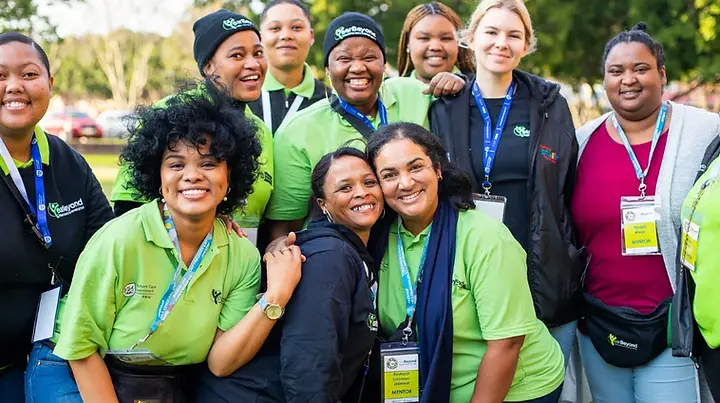
The YearBeyond Programme is a great opportunity for youth in South Africa to grow through service, learning, and personal development. If you’re ready to build your future, this guide will help you apply quickly and confidently.
Website to apply: www.yearbeyond.org
What is YearBeyond?
YearBeyond offers youth-focused development programmes that aim to build skills, confidence, and real-life work experience. You’ll be part of a meaningful journey that can open doors to future education or employment.
📝 Step-by-Step Guide to Apply
1️⃣ Visit the Official YearBeyond Website
Go to 👉 www.yearbeyond.org This is where you’ll start the application process.
2️⃣ Click on the “Programmes” Tab
On the homepage, find the “Programmes” tab (usually highlighted in yellow).
A drop-down list will appear. Choose the programme that matches your interests.

By
Author Name
Author Name
Jun 26, 2025
May 15, 2026
3 min read
Published
Updated:
The YearBeyond Programme is a great opportunity for youth in South Africa to grow through service, learning, and personal development. If you’re ready to build your future, this guide will help you apply quickly and confidently.
Website to apply: www.yearbeyond.org
What is YearBeyond?
YearBeyond offers youth-focused development programmes that aim to build skills, confidence, and real-life work experience. You’ll be part of a meaningful journey that can open doors to future education or employment.
📝 Step-by-Step Guide to Apply
ADVERTISEMENT
1️⃣ Visit the Official YearBeyond Website
Go to 👉 www.yearbeyond.org This is where you’ll start the application process.
2️⃣ Click on the “Programmes” Tab
On the homepage, find the “Programmes” tab (usually highlighted in yellow).
A drop-down list will appear. Choose the programme that matches your interests.
Tip: Make sure to select the correct programme title that you're interested in.
3️⃣ Explore the Programme Details
After clicking, scroll through the programme page.
At the bottom, look for the “APPLY NOW” button and click it.
4️⃣ Review Eligibility on SAYouth.Mobi
You’ll be redirected to SAYouth.Mobi, where you’ll see full programme details and check if you qualify.
ADVERTISEMENT
📌 Be sure to read all requirements carefully before applying.
5️⃣ Create or Log In to SAYouth Account
Option A: You’re New
Click “JOIN”
Then click “I’m ready to join”
Fill in your personal information and create your account.
Option B: You Already Have an Account
Click “LOG IN”
Enter your username and password.


POPULAR TODAY


ADVERTISEMENT
📶 Good news: SAYouth.Mobi is zero-rated, which means you don’t need mobile data to access it.
Final Tips Before You Apply
Double-check your personal info before submitting.
Apply early, programmes fill up fast!
Save your login details for future updates.
💬 Need Help?
If you have any issues, check the YearBeyond website or visit SAYouth.Mobi for support and contact details.
Ready to grow, serve, and build your future? Visit www.yearbeyond.org and apply today.
ADVERTISEMENT
RELATED ARTICLE


